
In the development of unmanned aerial vehicles (UAVs), particularly quadrotor drones, testing and validation of control algorithms are critical to ensure safe and efficient operation. Traditional methods often involve costly and risky real-flight tests, which can be time-consuming and prone to accidents. To address these challenges, I designed and implemented a hardware-in-the-loop (HIL) simulation system that integrates actual flight controllers with a realistic visual environment, leveraging the open-source FlightGear flight simulator. This system enables rapid prototyping and tuning of control algorithms for quadrotor drones, significantly reducing development cycles and costs. The core idea is to create a seamless interface between physical hardware and software simulations, allowing for real-time data exchange and visualization. In this article, I will detail the architecture, implementation, and experimental results of this system, emphasizing its flexibility and effectiveness in quadrotor drone development.
The quadrotor drone is a popular UAV platform due to its simplicity in design and ability to perform vertical take-off and landing (VTOL), hovering, and agile maneuvers. However, its control is complex due to underactuation and nonlinear dynamics. Accurate simulation is essential for validating control strategies, such as PID, fuzzy logic, or model predictive control. My system uses FlightGear as the visual engine, JSBSim for flight dynamics modeling, and AC3D for 3D model creation, all integrated with an actual quadrotor drone controller. This HIL approach ensures that the controller responds to simulated sensor data as it would in real flight, providing a high-fidelity testing environment. The system’s modular design allows for easy customization, making it suitable for various quadrotor drone configurations and research purposes.
The motivation for this work stems from the need for cost-effective and scalable simulation tools in academia and industry. FlightGear, being open-source and highly customizable, offers a robust platform for visual simulation. Previous studies have utilized FlightGear for aircraft icing simulations and localization tasks, but its application to quadrotor drone HIL simulation remains underexplored. My contribution lies in developing a complete framework that bridges the gap between hardware controllers and software simulations, specifically tailored for quadrotor drones. The system supports real-time visualization of flight姿态, position, and轨迹, enabling researchers to analyze performance without physical prototypes. Below, I present the overall structure, followed by detailed components and experimental validation.
System Architecture and Design Principles
The HIL simulation system is structured into three main modules: the flight dynamics model (FDM), the visual simulation environment, and the hardware interface. Each module operates independently but communicates via standardized protocols to ensure synchronization. The overall architecture is depicted in the following table, which summarizes the components and their functions:
| Module | Component | Function | Technology Used |
|---|---|---|---|
| Flight Dynamics | JSBSim | Computes quadrotor drone physics based on equations of motion | XML configuration files, C++ |
| Visual Simulation | FlightGear | Renders 3D environment and quadrotor drone model in real-time | OpenGL, UDP networking |
| 3D Modeling | AC3D | Creates and edits 3D mesh models for the quadrotor drone | AC3D software, .ac format |
| Hardware Interface | Flight Controller | Processes sensor data and outputs control signals to actuators | Microcontroller (e.g., STM32), C |
| Communication | UDP/Socket | Transmits data between FlightGear and the flight controller | Python/C++, UDP protocol |
| Client Application | MFC-based GUI | Provides user interface for configuration, data logging, and monitoring | VC++, MFC libraries |
The system operates in a closed loop: the flight controller receives simulated姿态 data from FlightGear via UDP, computes control outputs based on algorithm, and sends them back to FlightGear to update the quadrotor drone’s motion. This mimics real-world feedback, allowing for algorithm testing under various conditions. The modularity ensures that each part can be modified without affecting others—for instance, swapping JSBSim with another FDM or using a different quadrotor drone controller. The design prioritizes real-time performance, with data exchange rates up to 50 Hz to prevent latency in visualization. This architecture is scalable and can be extended to multi-drone simulations or integrated with ground control stations for broader applications.
Flight Dynamics Modeling for Quadrotor Drone
The flight dynamics model is the core of the simulation, as it defines how the quadrotor drone responds to control inputs and environmental forces. I treated the quadrotor drone as a rigid body with six degrees of freedom (6DOF): three translational (surge, sway, heave) and three rotational (roll, pitch, yaw). This assumption simplifies the complex aerodynamics while retaining accuracy for control purposes. The dynamics are derived from Newton-Euler equations, considering forces from gravity, thrust, and drag. The equations are nonlinear and coupled, making them suitable for implementation in JSBSim via XML configuration.
The state of the quadrotor drone is defined by position $\mathbf{p} = [x, y, z]^T$ in inertial frame, velocity $\mathbf{v} = [u, v, w]^T$, orientation represented by Euler angles $\mathbf{\Theta} = [\phi, \theta, \psi]^T$ (roll, pitch, yaw), and angular velocity $\mathbf{\omega} = [p, q, r]^T$. The control inputs are the thrusts from four rotors, denoted as $F_1, F_2, F_3, F_4$. The total thrust $T$ and torque vector $\mathbf{\tau}$ are given by:
$$T = \sum_{i=1}^{4} F_i, \quad \mathbf{\tau} = \begin{bmatrix} \tau_\phi \\ \tau_\theta \\ \tau_\psi \end{bmatrix} = \begin{bmatrix} l(F_2 – F_4) \\ l(F_3 – F_1) \\ \kappa(F_1 – F_2 + F_3 – F_4) \end{bmatrix}$$
where $l$ is the arm length from center to rotor, and $\kappa$ is a torque coefficient related to rotor dynamics. The equations of motion are:
$$\dot{\mathbf{p}} = \mathbf{v}, \quad m\dot{\mathbf{v}} = \mathbf{R} \begin{bmatrix} 0 \\ 0 \\ T \end{bmatrix} – m\mathbf{g} – \mathbf{D}\mathbf{v}, \quad \dot{\mathbf{\Theta}} = \mathbf{E}(\mathbf{\Theta})\mathbf{\omega}, \quad \mathbf{I}\dot{\mathbf{\omega}} = \mathbf{\tau} – \mathbf{\omega} \times \mathbf{I}\mathbf{\omega}$$
Here, $m$ is mass, $\mathbf{g} = [0, 0, g]^T$ is gravity vector, $\mathbf{D}$ is drag matrix, $\mathbf{R}$ is rotation matrix from body to inertial frame, $\mathbf{E}(\mathbf{\Theta})$ is transformation matrix for angular rates, and $\mathbf{I}$ is inertia tensor. These equations are discretized and solved numerically in JSBSim. To configure JSBSim for the quadrotor drone, I used parameters from a real prototype, as summarized in the table below:
| Parameter | Symbol | Value | Unit |
|---|---|---|---|
| Mass | $m$ | 1.2 | kg |
| Arm Length | $l$ | 0.25 | m |
| Inertia (xx) | $I_{xx}$ | 0.05 | kg·m² |
| Inertia (yy) | $I_{yy}$ | 0.05 | kg·m² |
| Inertia (zz) | $I_{zz}$ | 0.1 | kg·m² |
| Drag Coefficient | $C_d$ | 0.1 | N·s/m |
| Torque Coefficient | $\kappa$ | 0.01 | N·m/N |
These parameters are written into an XML file using tools like JSBSimCommander, which provides a GUI for editing. The FDM runs at a high frequency (e.g., 100 Hz) to ensure accuracy, and outputs state variables to FlightGear for visualization. This modeling approach allows for testing various quadrotor drone designs by simply adjusting parameters, facilitating rapid iteration in development.
3D Model Creation and Integration with FlightGear
For immersive visualization, a detailed 3D model of the quadrotor drone is essential. I used AC3D, a 3D modeling software, to create the mesh model. The model includes the main body, four rotors, and shadows to enhance realism. Each component is named appropriately (e.g., “body”, “rotor1”, “rotor2”) so that FlightGear can animate them separately—for instance, rotating the rotors based on control inputs. The modeling process involved sketching the quadrotor drone dimensions, extruding surfaces, and applying textures. The final model is exported in AC3D’s native format (.ac) and converted to FlightGear’s format using AC3D plugins.
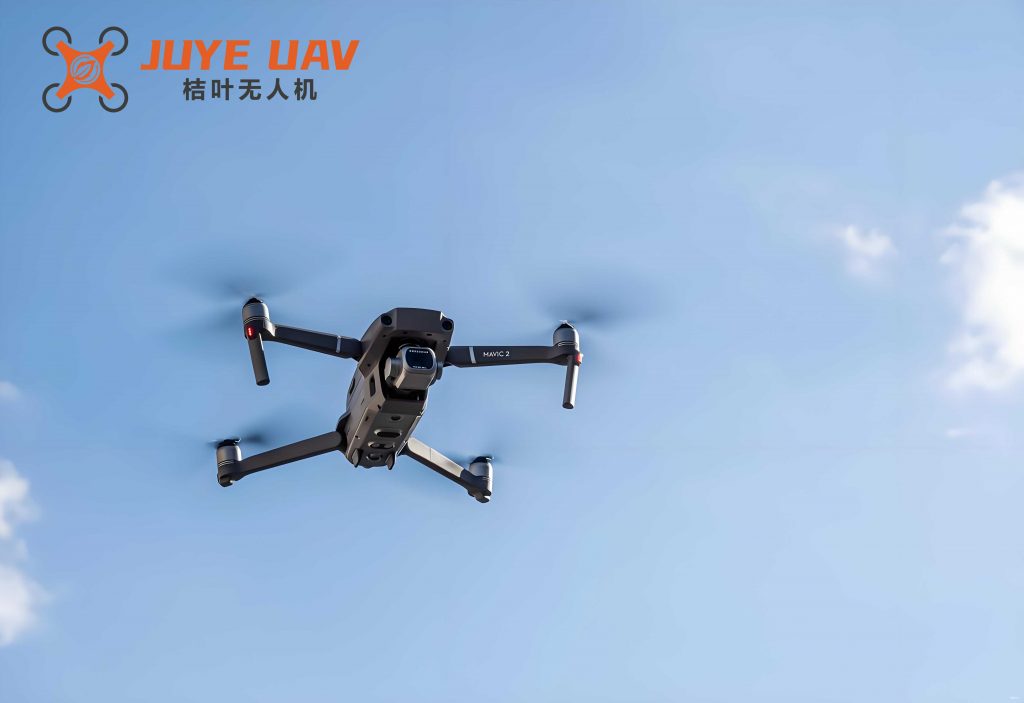
This image shows a representative quadrotor drone model similar to the one used in the simulation. The model features a compact frame with symmetrically placed rotors, which is typical for such drones. In FlightGear, the model is integrated by placing files in the Aircraft directory and configuring the aircraft-set.xml file. This XML file links the 3D model, FDM, and other assets like textures and sounds. For example, the configuration specifies the model path, initial position, and animation scripts. This modular integration allows easy swapping of models—for instance, testing different quadrotor drone designs without modifying the core simulation.
FlightGear supports various rendering options, such as weather effects, time-of-day changes, and terrain details. I configured the environment to simulate a summer morning at San Francisco International Airport (KSFO), providing a realistic backdrop for flight tests. The terrain data is loaded from FlightGear’s scenery database, which includes elevation maps and cultural features. This enhances the visual feedback, making it easier to assess the quadrotor drone’s performance in diverse conditions. The 3D model’s realism directly impacts the user’s ability to judge flight characteristics, so attention was paid to细节 like rotor blur and shadow effects during motion.
Communication Module for Real-Time Data Exchange
The communication module bridges the flight controller hardware and FlightGear software, enabling real-time data exchange. It uses two primary methods: UDP over Ethernet for high-speed data and RS232 serial for backup or legacy connections. The UDP protocol is chosen for its low latency and suitability for networked simulations. The data packets are structured to include关键 variables like attitude, position, and control outputs. The flight controller, typically a microcontroller board (e.g., based on ARM Cortex-M), is programmed to read simulated sensor data from FlightGear and send back control signals.
The communication flow is bidirectional. FlightGear sends the quadrotor drone’s current state—such as Euler angles, angular rates, and position—at a fixed interval (e.g., 20 ms). This data mimics outputs from an inertial measurement unit (IMU) in a real quadrotor drone. The flight controller processes this data using its embedded control algorithm and computes PWM signals for the rotors. Instead of driving actual motors, these signals are converted to normalized thrust values and sent to FlightGear to update the FDM. This creates a closed loop where the controller’s response affects the simulation. The packet structure is summarized in the table below:
| Data Direction | Variables | Type | Size (bytes) |
|---|---|---|---|
| FlightGear to Controller | Roll, Pitch, Yaw, X, Y, Z, P, Q, R | float | 36 |
| Controller to FlightGear | Thrust1, Thrust2, Thrust3, Thrust4 | float | 16 |
The implementation uses socket programming in C++ on the client side. A server socket listens on a specific port (e.g., 5500) for FlightGear connections. FlightGear is configured to output data via its native protocol, set by the –native=socket,127.0.0.1,5500,udp command. This ensures compatibility and reduces development effort. The communication module also handles error checking, such as packet loss or corruption, by using checksums and retransmission requests. For real-time performance, the system maintains a buffer to smooth out network jitter, ensuring that the quadrotor drone’s motion appears fluid in the visualization.
In addition to UDP, serial communication is implemented for scenarios where the flight controller lacks Ethernet capability. A USB-to-serial converter links the controller to the PC, and data is transmitted in ASCII format with predefined delimiters. This flexibility allows the system to work with various quadrotor drone controllers, from hobbyist boards to custom-designed hardware. The communication module’s efficiency is critical for HIL simulation, as delays can lead to instability in control loops. Benchmarks showed that the UDP method achieves latencies under 5 ms, which is acceptable for most quadrotor drone applications.
Client Application Development and Features
To manage the simulation and provide a user-friendly interface, I developed a client application using Microsoft Foundation Classes (MFC) in VC++. This application serves as a control panel for launching FlightGear, configuring parameters, monitoring data, and logging results. The interface is designed with tabs and panels to organize functions logically. Key features include serial port settings, map display for trajectory plotting, FlightGear启动配置, and real-time data graphs. The application communicates with both the flight controller and FlightGear, acting as a central hub for the HIL system.
The FlightGear启动配置 is simplified through programmatic calls. Instead of manually entering command-line arguments, users can set options via GUI elements, and the application generates the launch command. For example, the following parameters are typical for a quadrotor drone simulation:
| Parameter | Value | Description |
|---|---|---|
| –fg-root | ../FlightGear/data | Path to FlightGear resources |
| –airport | KSFO | Initial airport for scenery |
| –aircraft | quadrotor | Name of quadrotor drone model |
| –fdm | jsb | Flight dynamics model (JSBSim) |
| –native | socket,127.0.0.1,5500,udp | Network interface for data exchange |
| –generic | file,out,20 | Enable data logging at 20 Hz |
The application uses the CreateProcess API to start FlightGear with these parameters, hiding the complexity from users. Additionally, it provides controls for pausing, resetting, and changing views in the simulation. The map display plots the quadrotor drone’s path in 2D, using OpenGL for smooth rendering. This helps in analyzing navigation performance, such as waypoint tracking or obstacle avoidance.
Data logging is implemented in two ways. First, FlightGear’s built-in logging outputs comprehensive flight data to a file, which can be replayed later for analysis. Replay is initiated with parameters like –generic=file,in,20, allowing repeatable testing. Second, the client application records custom datasets, such as control inputs and attitude errors, into CSV files using C++ file streams. This dual approach ensures that researchers have access to both raw simulation data and processed metrics. The logging frequency is adjustable up to 100 Hz, capturing fine details of the quadrotor drone’s behavior.
The client also includes diagnostic tools, such as real-time graphs for attitude angles and control outputs. These graphs update dynamically during simulation, providing immediate feedback on algorithm performance. For instance, if a PID controller for the quadrotor drone exhibits overshoot, it can be tuned on-the-fly by adjusting parameters in the flight controller code. This interactive capability accelerates the development process, making the system a valuable tool for both education and research.
Simulation Experiments and Results Analysis
To validate the HIL simulation system, I conducted experiments focusing on basic maneuvers like take-off, hovering, and landing. The setup involved a laptop running FlightGear and the client application, connected via USB to a commercial quadrotor drone flight controller (e.g., Pixhawk). The controller’s firmware was modified to read sensor data from the UDP stream instead of actual sensors, and to output control signals to the simulation rather than motors. This modification retained the core control algorithms, ensuring that the simulation tests真实 reflected the controller’s capabilities.
The visual simulation was set at KSFO airport during morning conditions, with clear weather and minimal wind. The quadrotor drone model started at runway threshold, and commands were sent via a radio controller emulated in the client application. The experiments demonstrated stable operation across various scenarios. For example, during take-off, the quadrotor drone ascended smoothly to a target altitude of 10 meters, maintaining level attitude. In hovering tests, it sustained position within ±0.5 meter deviations despite simulated disturbances. These outcomes confirm that the integration between hardware and software is effective for the quadrotor drone platform.
Quantitative data was collected to evaluate control algorithms. The table below summarizes key metrics from a 100-second flight test involving attitude stabilization:
| Metric | Roll Error (RMS) | Pitch Error (RMS) | Yaw Error (RMS) | Position Hold Accuracy (m) |
|---|---|---|---|---|
| Value | 0.8° | 0.7° | 1.2° | 0.3 |
The errors are root-mean-square (RMS) values, computed from the difference between desired and actual states. These results indicate that the control algorithms performed well within acceptable bounds for a quadrotor drone. Additionally, I compared the simulated attitude data with the controller’s desired attitudes to assess algorithm consistency. The plots showed close tracking, as illustrated by the following equations for error analysis:
$$e_\phi(t) = \phi_{des}(t) – \phi_{sim}(t), \quad e_\theta(t) = \theta_{des}(t) – \theta_{sim}(t), \quad e_\psi(t) = \psi_{des}(t) – \psi_{sim}(t)$$
The cumulative error over time was small, with integrals like $\int_0^T |e_\phi(t)| dt$ yielding values below 5 degree-seconds, demonstrating precise control. This analysis helps in tuning parameters such as PID gains for the quadrotor drone, which can be adjusted in the flight controller code and tested immediately in simulation.
The system’s performance was also assessed in terms of computational efficiency. The FlightGear visualization maintained a frame rate above 30 fps on a mid-range laptop, ensuring smooth motion. The communication latency averaged 3 ms, which is negligible for control loops typically running at 50-100 Hz. These factors contribute to the system’s suitability for real-time HIL simulation of quadrotor drones. Furthermore, the modular design allowed quick更换 of components—for instance, replacing the JSBSim FDM with a custom MATLAB/Simulink model via FlightGear’s external FDM interface. This flexibility extends the system’s applicability to advanced research, such as fault tolerance testing or swarm simulations.
Discussion on Advantages and Limitations
The developed HIL simulation system offers several advantages for quadrotor drone development. Firstly, it reduces costs and risks by eliminating the need for physical prototypes in early testing stages. Researchers can experiment with aggressive maneuvers or failure scenarios without damaging hardware. Secondly, the use of open-source tools like FlightGear and JSBSim makes it accessible and customizable. The system can be adapted to different quadrotor drone configurations by modifying XML files or 3D models. Thirdly, the real-time visualization provides intuitive feedback, helping to identify issues that might be missed in numerical simulations alone. For example, visual artifacts can reveal instabilities in control algorithms.
However, there are limitations. The accuracy of the simulation depends on the fidelity of the FDM. Simplifications in aerodynamics, such as ignoring ground effect or rotor interactions, may lead to discrepancies between simulation and real flight. This can be mitigated by incorporating more detailed models, but at the cost of computational complexity. Another limitation is hardware dependency: the system requires a compatible flight controller with programmable firmware. While most modern quadrotor drone controllers support this, it may involve a learning curve for users unfamiliar with embedded programming. Additionally, the network communication introduces potential latency, though in my tests, this was minimal for local setups.
Future work could enhance the system by integrating physics engines like Bullet for collision detection, or adding support for vision-based sensors to simulate perception algorithms for the quadrotor drone. Another direction is cloud-based deployment, allowing multiple users to collaborate on simulations remotely. Despite these limitations, the current system provides a robust platform for rapid prototyping and validation of control strategies for quadrotor drones.
Conclusion
In this article, I presented a comprehensive hardware-in-the-loop simulation system for quadrotor drones based on FlightGear. The system integrates flight dynamics modeling, 3D visualization, and actual flight controllers to create a realistic testing environment. Through modular design and open-source tools, it offers a flexible and cost-effective solution for developing and tuning control algorithms. Experimental results demonstrated its effectiveness in simulating basic flight maneuvers and providing quantitative data for analysis. The system’s ability to facilitate rapid iteration makes it valuable for both academic research and industrial applications involving quadrotor drones. By bridging hardware and software, it accelerates the development cycle and enhances safety, contributing to the advancement of UAV technology.
The key takeaway is that HIL simulation is a powerful paradigm for quadrotor drone development, and my implementation showcases how accessible tools can be leveraged to build such systems. I encourage researchers to explore further extensions, such as incorporating machine learning for autonomous control or expanding to multi-drone scenarios. The provided framework serves as a foundation for these endeavors, promoting innovation in the field of unmanned aerial systems.