
As an aerial survey practitioner, I have extensively used the DJI Phantom 4 RTK drone for various mapping projects. This DJI drone has revolutionized the field by integrating centimeter-level positioning with a high-performance imaging system in a portable package, significantly lowering the entry barrier for photogrammetry. However, when tasked with large-area, high-resolution surveys, I’ve observed that efficiency can become a bottleneck. In this article, I will delve into the design principles of its operational parameters and explore methodologies to optimize flight planning and execution for enhanced productivity. My analysis is based on practical experience and a detailed examination of the system’s behavior, focusing on how each setting impacts the overall survey workflow.
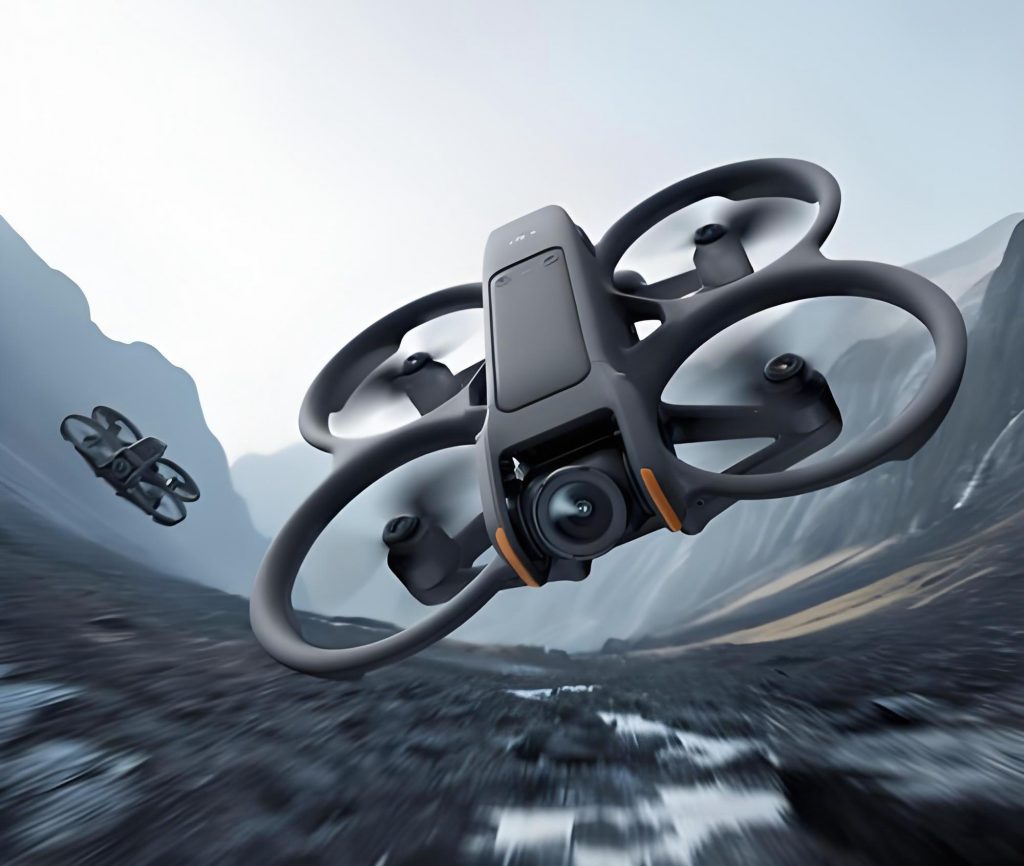
The core advantage of this DJI drone lies in its simplicity and accuracy, but to harness its full potential, one must understand the interplay of its configurable parameters. Every flight mission involves trade-offs between accuracy, coverage, and time. By systematically analyzing parameters such as flight altitude, speed, overlap rates, gimbal angle, photo aspect ratio, and survey line angle, I aim to provide a comprehensive guide for maximizing efficiency without compromising data quality. This is particularly crucial as the DJI drone ecosystem evolves, and users must optimize existing platforms like the Phantom 4 RTK for demanding applications. The following sections break down each factor, supported by formulas and tables to quantify their effects.
Impact of Survey Mode Parameters on Survey Efficiency
In my experience, the efficiency of an aerial survey with a DJI drone is primarily dictated by the total flight time and the number of images required to cover the area. These, in turn, are controlled by several key parameters in the mission planning software. I will examine each parameter in detail, starting with the most fundamental: flight altitude.
Flight Altitude
Flight altitude (H) is the foremost parameter as it directly determines the Ground Sampling Distance (GSD), which defines the spatial resolution of the final output. For the DJI Phantom 4 RTK, the GSD is calculated using the following formula:
$$GSD = \frac{H}{36.5} \text{ cm/pixel}$$
Here, H is the flying height above the terrain in meters. A lower altitude yields a finer GSD (higher resolution) but reduces the area covered per image, potentially increasing the number of flight lines and images. This parameter is often fixed by project accuracy requirements, but it serves as a scaling factor for other variables. The relationship between flight altitude, GSD, and the ground area covered per image in a 2D nadir (vertical) mission is summarized in the table below. The values assume the default 3:2 photo aspect ratio and are crucial for planning.
| Flight Altitude (m) | GSD (cm/pixel) | Horizontal Ground Distance (m) | Vertical Ground Distance (m) | Area per Image (m²) |
|---|---|---|---|---|
| 50 | 1.37 | 74.96 | 49.97 | 3745.89 |
| 100 | 2.74 | 149.92 | 99.95 | 14983.57 |
| 150 | 4.11 | 224.88 | 149.92 | 33713.02 |
| 200 | 5.48 | 299.84 | 199.89 | 59934.26 |
| 300 | 8.22 | 449.75 | 299.84 | 134852.1 |
The horizontal and vertical ground distances are derived from the sensor dimensions and GSD. Since flight altitude linearly influences the distance between adjacent survey lines (swath width), it is a primary driver of the total flight path length. When operating this DJI drone, I always calculate the necessary altitude first based on the required GSD before adjusting other parameters for efficiency.
Flight Speed
The flight speed setting in the DJI drone’s planning software affects the total mission duration. The software imposes a maximum speed limit that increases with flight altitude to ensure that the camera’s continuous shooting rate (max 0.4 frames per second) is not exceeded. This design prevents gaps in image coverage along the flight path. The relationship is predefined, as shown in the following table.
| Flight Altitude Range (m) | Maximum Flight Speed (m/s) |
|---|---|
| 25-37 | 2 |
| 38-50 | 3 |
| 51-62 | 4 |
| 63-75 | 5 |
| 76-87 | 6 |
| 88-100 | 7 |
| 101-113 | 8 |
| 114-125 | 9 |
| 126-138 | 10 |
| 139-150 | 11 |
| 151-163 | 12 |
| 164 and above | 13 |
In practice, since flight speed does not alter the number of images or the flight path geometry, I always set it to the maximum allowed for the chosen altitude to minimize flight time. This is a straightforward efficiency gain when using the DJI drone for surveys. The speed increments are designed to maintain a consistent image overlap along the flight direction regardless of height.
Side and Forward Overlap Rates
Overlap rates are critical for ensuring complete coverage and successful photogrammetric processing. The DJI Phantom 4 RTK has a fixed camera orientation (pointing forward or nadir), so the forward overlap (along the flight direction) and side overlap (between adjacent flight lines) are controlled separately. The default values are 80% forward and 80% side overlap for 3D modeling (or 70% for 2D mapping). These rates directly influence the distance between consecutive photo captures and the spacing between flight lines.
The forward overlap rate affects the number of images along a line but not the line spacing. The side overlap rate, however, is a major determinant of the survey line spacing (S), which heavily impacts the total flight distance. Based on my analysis of the DJI GS RTK app’s behavior, the line spacing for the default 3:2 aspect ratio can be modeled with a simple formula:
$$S = H \times (100 – R) \times 0.015$$
Where S is the survey line spacing in meters, H is the flight altitude in meters, and R is the side overlap percentage. The constant 0.015 is derived from the sensor’s effective pixels and the GSD constant: 5472 (horizontal pixels) ÷ 36.5 ÷ 10000. This formula shows that line spacing is inversely proportional to side overlap. For instance, at a fixed altitude, increasing overlap reduces spacing, leading to more flight lines and longer total distance. The following table illustrates this relationship for common altitudes and overlap rates, which I find invaluable for quick estimations when planning missions with this DJI drone.
| Side Overlap Rate (%) | Flight Altitude 50m | Flight Altitude 100m | Flight Altitude 150m | Flight Altitude 200m | Flight Altitude 300m |
|---|---|---|---|---|---|
| 70 | 22.5 m | 45 m | 67.5 m | 90 m | 135 m |
| 75 | 18.8 m | 37.5 m | 56.3 m | 75 m | 112.5 m |
| 80 | 15 m | 30 m | 45 m | 60 m | 90 m |
| 85 | 11.3 m | 22.5 m | 33.8 m | 45 m | 67.5 m |
| 90 | 7.5 m | 15 m | 22.5 m | 30 m | 45 m |
To put this into perspective, for a 100m flight altitude with 80% side overlap, the line spacing is 30m. If I reduce the overlap to 70%, the spacing increases to 45m, significantly reducing the number of flight lines required. However, lower overlap risks insufficient coverage in complex terrain. Therefore, optimizing this parameter requires balancing efficiency with data integrity. The forward overlap similarly influences the distance between photo captures along a line (D), which can be expressed as:
$$D = \frac{L \times (100 – F)}{100}$$
Where L is the ground distance covered by the image in the flight direction (from the GSD calculation), and F is the forward overlap percentage. In the DJI drone’s software, this is automatically managed to ensure continuous coverage.
Gimbal Angle
For 3D oblique photogrammetry, the gimbal angle (the camera’s tilt from vertical) is adjustable. This angle affects the footprint of each image and the required flight distance to achieve overlap at the edges of the survey area. A steeper angle (e.g., -60° from horizontal) points the camera more sideways, capturing a wider lateral area but requiring more forward distance to cover the same ground extent compared to a shallower angle (e.g., -45°). The DJI GS RTK app does not link the gimbal angle to the automatic photo interval; instead, it influences the length of each flight line by extending the endpoints to ensure full area coverage.
The additional length per line (ΔL) due to gimbal angle can be approximated by:
$$\Delta L = H \times (\tan(\theta_1) – \tan(\theta_2)) \times 2$$
Where θ is the complement of the gimbal angle (e.g., for a -60° gimbal pitch, the angle from vertical is 30°). For example, at H=100m, changing from -60° to -45° adds approximately 100×(tan(45°)-tan(30°))×2 ≈ 84.53 meters to each flight line. This impact is more pronounced in missions with many short lines. In practice, I choose the gimbal angle based on the terrain: steeper angles are better for capturing building facades, while shallower angles can improve efficiency for broad area coverage. Importantly, adjusting the gimbal angle allows flying at a lower altitude over tall structures to maintain GSD, which can be a more significant efficiency gain than the minor increase in line length.
Photo Aspect Ratio
The DJI Phantom 4 RTK offers two photo aspect ratios: 3:2 (native) and 4:3 (cropped). The 3:2 ratio uses the full width of the 1-inch sensor, providing a maximum resolution of 5472×3648 pixels. The 4:3 ratio crops the sides, resulting in 4864×3648 pixels. Since the horizontal ground coverage is proportional to the number of horizontal pixels, selecting 4:3 reduces the effective swath width. Consequently, for the same side overlap percentage, the survey line spacing becomes 8/9 of that for 3:2. This directly translates to more flight lines and reduced efficiency.
From my tests, at 200m altitude with 70% side overlap, the line spacing is 90m for 3:2 but only 80m for 4:3. Similarly, at 80% overlap, it’s 60m versus 53.3m. Therefore, unless a specific output format requires 4:3, I always use the 3:2 aspect ratio with this DJI drone to maximize coverage per image and minimize flight distance. The efficiency gain is consistent and easily achievable.
Survey Line Angle
The orientation of flight lines relative to the survey area boundary is a subtle but impactful parameter. The DJI GS RTK app allows rotating the flight line pattern. Choosing an optimal angle can reduce the total flight distance and time. Intuitively, when flight lines are parallel to the longest side of a rectangular area, the number of turns and the excess flight outside the boundary are minimized. Conversely, aligning lines diagonally increases both the line length and the number of lines.
To quantify, consider a square area 1000m on each side. With a line spacing of 90m for nadir imaging, if lines are parallel to the sides, each line extends 100m beyond the boundary on both ends (to ensure coverage), resulting in 13 lines of length 1200m, totaling 15,600m. If lines are rotated 45° (parallel to the diagonal), the number of lines increases to 17, and the total length calculates to approximately 17,361.63m, not accounting for additional turn maneuvers. This represents an increase of over 11% in flight distance. In my projects, I’ve observed time differences of 6-7% for real-world polygons.
Therefore, I always analyze the shape of the survey area and set the flight line angle to align with the longest axis. This simple adjustment, often overlooked, can yield substantial time savings, especially for large-scale surveys with this DJI drone. The software’s preview function helps visualize this before flight.
Integrated Strategies for Efficiency Optimization
Beyond individual parameters, combining settings and leveraging advanced flight modes of the DJI drone can lead to greater efficiency. Here, I share several strategies derived from my field experience.
First, when dealing with variable terrain such as hills or urban canyons, maintaining a constant altitude may result in poor overlap or excessive images. Instead, I use the “Terrain Follow” or “Oblique Plan” modes available in third-party apps (or the built-in capabilities in newer DJI drone firmware). These modes adjust altitude based on a pre-loaded digital elevation model (DEM), ensuring consistent GSD and overlap across slopes. This reduces the need for multiple flights at different heights.
Second, for very large areas, splitting the region into smaller blocks flown sequentially can optimize battery usage and data management. The DJI drone’s battery life limits continuous flight time, so planning blocks with logical boundaries and safe landing points improves operational throughput. I often use convex hull partitioning to minimize turns between blocks.
Third, adaptive overlap rates can be considered. For instance, in areas with low feature density, I might reduce side overlap to 70% instead of 80%, while keeping higher overlap in complex zones. This requires careful planning but can cut flight lines significantly. However, this is not natively supported in the basic DJI GS RTK app; it may require more advanced flight planning software.
Fourth, utilizing the DJI drone’s RTK module for precise geotagging eliminates the need for ground control points (GCPs) in many cases, saving substantial field time. This is a inherent efficiency boost of the Phantom 4 RTK system.
To illustrate the cumulative effect of parameter optimization, let’s consider a hypothetical scenario: mapping a 2 km × 1.5 km rectangular area with a required GSD of 3 cm/pixel. First, I calculate the flight altitude: from $$GSD = H/36.5$$, we get H = 3 × 36.5 = 109.5 m. I round to 110m. Using the maximum speed for this altitude (8 m/s from the table), 3:2 aspect ratio, 80% side overlap (line spacing S = 110 × (100-80) × 0.015 = 33m), and lines parallel to the 2 km side, I can estimate the number of lines and total distance. The width is 1500m, so lines needed ≈ 1500/33 ≈ 46 lines (including margins). Each line length ≈ 2000m + margins, say 2200m. Total distance ≈ 46 × 2200 = 101,200m. Flight time ≈ distance/speed = 101200/8 = 12650 seconds ≈ 3.5 hours. If I had chosen 4:3 aspect ratio, line spacing would be ~29.3m, requiring about 52 lines, increasing time by ~13%. This example underscores the importance of deliberate parameter selection.
Conclusion
In summary, maximizing the efficiency of aerial surveys with the DJI Phantom 4 RTK drone involves a deep understanding of its parameter interdependencies. Based on my analysis, the following practices yield the best results: set flight altitude based on the required GSD; always use the maximum permitted flight speed; select the 3:2 photo aspect ratio; orient flight lines parallel to the longest boundary of the survey area; and carefully choose side overlap rates based on terrain complexity, as this has the largest effect on total flight distance. The gimbal angle has a relatively minor impact on efficiency but is crucial for capturing vertical structures. Moreover, embracing advanced flight modes like terrain following for undulating landscapes or using RTK for direct georeferencing can further streamline operations.
The DJI drone platform has democratized aerial photogrammetry, but efficiency gains come from meticulous planning and parameter optimization. By applying the formulas and principles discussed—such as $$S = H \times (100 – R) \times 0.015$$ for line spacing and $$GSD = H/36.5$$ for resolution—I can confidently plan missions that save time and resources while ensuring data quality. As technology evolves, these fundamentals will remain relevant for extracting the utmost performance from any DJI drone used for mapping and surveying.